Server Solutions
Dedicated Server Rental Meet your physical server needs with dedicated server rental Explore Now
Virtual Servers Scalable, high-availability server rental services with our high-performance cloud server solutions. Explore Now
İlkbyte Cloud Fully developed by Netinternet, flexible and scalable cloud servers with cloud technology Explore Now
GPU-Based AI Infrastructure High-performance GPU solutions created on a project basis for your AI and machine learning projects Explore Now
Server & Hardware Procurement Server and hardware procurement services with equipment suitable for your projects Explore Now
Customized Infrastructure Solutions Custom-designed infrastructure solutions and technical consulting services for your unique needs Explore Now
Hosting Services
Cabinet Rental Dedicated 15U, 24U and 48U smart cabinet systems allocated for you Explore Now
Server Colocation Individual server hosting service in shared cabinet systems Explore Now
Premium Connectivity Fast and reliable internet access with multi-carrier, multi-IXP and high-capacity Anti-DDoS protection Explore Now
Telecom Data Center Circuit Low-cost and high-performance internet access through a dedicated data center tariff Explore Now
Cross-Connect Direct connection between network carriers with low latency and high performance Explore Now
IP Address Pricing IP address and ASN rental services with RIPE LIR management services Explore Now
Managed Services
Managed Server Installation, configuration, regular maintenance, updates and 24/7 monitoring of your server operating system Explore Now
Managed Infrastructure End-to-end management of your entire IT infrastructure including data center, storage, virtualization and backup Explore Now
Managed Network Professional management and monitoring of network devices (router, switch, firewall) configuration, optimization and performance Explore Now
Managed Cloud (Public / Private) Professional management of your public and private cloud infrastructures to meet your cloud needs Explore Now
Managed Security 24/7 monitoring, analysis and response services against cyber security threats Explore Now
Managed Backup & Disaster Recovery Backup and disaster recovery plans, implementation, operation to ensure your data security and business continuity Explore Now
License Rental
cPanel Licenses cPanel software license rental solutions Explore Now
Plesk Licenses Plesk software license rental solutions Explore Now
DirectAdmin Licenses DirectAdmin software license rental solutions Explore Now
LiteSpeed Licenses LiteSpeed software license rental solutions Explore Now
CloudLinux Licenses CloudLinux software license rental solutions Explore Now
Cyber Security
HEIMWALL Fully developed by Netinternet, protect against cyber attacks with our Web Application Firewall solution Explore Now →
AntiDDoS High-capacity volumetric Anti-DDoS protection provided free by default on all our services Explore Now →
VPN Solutions Secure, encrypted tunnel connections for your remote offices and employees with our managed VPN solutions Explore Now →
Layer4 Stateless Firewall Layer4 stateless firewall solution for filtering and directing incoming traffic Explore Now →
SSL Certificates Secure connection solutions with free and paid SSL/TLS certificate options Explore Now →
Penetration Tests Penetration tests performed by third parties in cooperation with TSE-approved testing firms Explore Now →
Corporate Email
Corporate Email Solutions Fully domestic, KVKK compliant, 100% compatible with Outlook and all mail programs, professional, uninterrupted email service Explore Now →
Bulk Email Sending Manageable bulk email sending services with high delivery rates for your marketing campaigns Explore Now →
Email Archiving Secure archiving of all your email traffic to protect corporate memory and comply with legal requirements Explore Now →
Free Email Migration Service Wherever your email service is, we migrate you to Netinternet corporate email solution for free! Explore Now →
Traditional Web Hosting
cPanel Web Hosting Fast and reliable hosting packages with easy setup and management using cPanel, the world's most popular hosting management panel. Explore Now →
cPanel Reseller Hosting Fully customizable cPanel-based reseller hosting solution for starting your own hosting business Explore Now →
DirectAdmin Reseller Hosting Scalable and cost-effective reseller hosting powered by lightweight DirectAdmin control panel Explore Now →
Free Hosting Migration Service Professional migration services to move your existing systems to Netinternet data center infrastructure Explore Now →
Domain Names
Domain Registration Services Domain registration and easy management at the most affordable prices in all popular extensions (.com, .net, .org, etc.) Explore Now →
Domain Transfer Services Transfer your domains to Netinternet for professional domain management services Explore Now →
Domain Reseller Flexible and reliable reseller program and integration services for offering domain registration to your customers Explore Now →
Free Hosting with Domain Free hosting service for domains registered or transferred to Netinternet Explore Now →
Hosting & Cloud Service Providers High-density infrastructures, multi-tenant architectures and SLA-focused sustainable data center solutions for hosting and cloud providers Explore Now →
E-Commerce Companies High-performance, secure and uninterrupted e-commerce infrastructures resilient to sudden traffic surges during campaign periods Explore Now →
Software Developers Developer-friendly infrastructure solutions with CI/CD compatible, API-supported, automation-ready flexible resource management Explore Now →
SaaS Providers Scalable, high-availability and continuity-focused cloud infrastructures suitable for SaaS architectures serving many users. Explore Now →
AI & R&D GPU-based high-performance and scalable infrastructures for big data processing, model training and high computation tasks Explore Now →
Agencies & Marketing Multi-client management compatible, quick setup, high-performance and flexible web hosting infrastructures Explore Now →
Media & Broadcasting High bandwidth and low latency infrastructure solutions for live streaming, video and heavy content traffic Explore Now →
Banks & Fintech Regulation-compliant, Tier-3/Tier-4 standard, highly secure financial infrastructures ensuring uninterrupted service Explore Now →
Government & Education Long-term, sustainable and secure infrastructure solutions compliant with regulations and data security requirements Explore Now →
Manufacturing / Industry Low-latency and high-availability infrastructure solutions compatible with Industry 4.0, IoT and production automation systems Explore Now →
Healthcare Organizations Highly secure and uninterrupted health informatics infrastructures prioritizing patient data privacy and continuity Explore Now →
HEIMWALL – Web Application Firewall Protect your web applications against advanced attacks with our 100% domestic WAF platform HEIMWALL Explore Now →
Ilkbyte - Cloud Server Service Scalable and high-performance cloud servers deployable in seconds with our domestically developed orchestration infrastructure Explore Now →
Netrafix - Bandwidth Monitoring Manage 5651 compliant logging and bandwidth billing (Burst, Traffic Quota, 95th Percentile) in one platform with sFlow, NetFlow and IPFIX supported Netrafix Explore Now →
Secure Internet - For ISPs Keep your DNS traffic in your own network with 100% domestic DNS software developed for authorized ISPs Explore Now →
DirectIP - IP Management System 100% domestic IP management platform developed by Netinternet for centralized IP address, subnet, VLAN and DHCP management Explore Now →
RuleDNS - Rule-Based DNS Management Dynamically manage DNS responses with rule-based RuleDNS, easily integrate CDN and services with API support Explore Now →
Documents / Whitepapers Developer-focused technical documentation covering all API endpoints, usage scenarios and automation examples Explore Now →
API Documentation Developer-focused technical documentation covering API endpoints, usage scenarios and automation examples for platform integration Explore Now →
Peering Policies Reference policies transparently explaining our network architecture, traffic exchange principles and peering criteria Explore Now →
Frequently Asked Technical Questions Clear and actionable answers to the most frequently asked technical questions about infrastructure, security and operations Explore Now →
System Status Status page transparently sharing real-time status, planned maintenance and past outages of all platforms and services Explore Now →
Our Physical Data Center
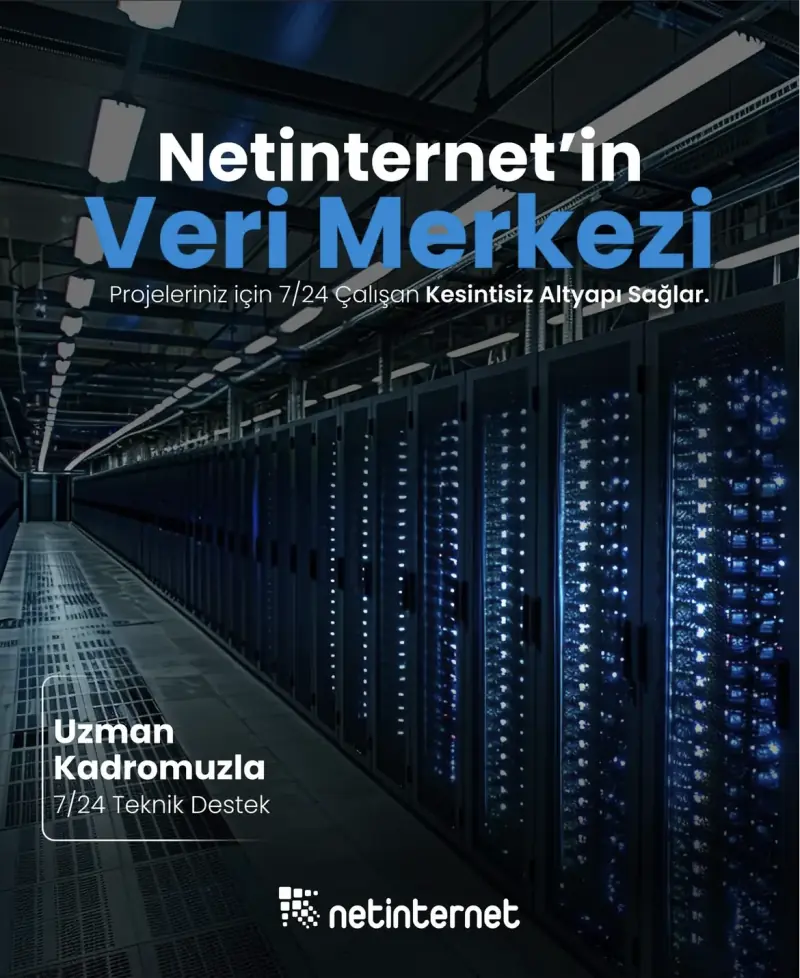
Our Physical Data Center Our corporate data center facility designed with high security standards and redundant power and cooling infrastructure Explore Now →
Power, Cooling, Security Facility architecture designed for critical infrastructures with redundant power lines, climate systems and multi-layered physical security Explore Now →
Internet Access Points Low-latency and high-availability backbone connections through multiple operators and internet exchange points Explore Now →
Network Infrastructure
Network Infrastructure Uninterrupted connectivity infrastructure with multi-carrier connections, redundant backbone and high-capacity network architecture Explore Now →
Network Policies Sustainable network operation policies with transparently defined rules for traffic management, peering, security and capacity usage Explore Now →
Planning and Processes Scalable and controlled network management approach with pre-designed network capacity planning, growth scenarios and operational processes Explore Now →
Certificates and Documents
Our Certifications We provide auditable and sustainable infrastructure standards with our certifications for information security and service continuity Explore Now →
Security Policy We ensure protection of infrastructure and data with our security policies covering information security, access control and risk management Explore Now →
KVKK Compliance Data processing and storage structure compliant with KVKK and related regulations with defined technical and administrative measures for personal data protection. Explore Now →
Quality Policy Our quality management policies within the scope of ISO 9001 for continuous improvement of service quality. Explore Now →
Service Management Policy Our policies and standards governing IT service management processes within the scope of ISO/IEC 20000-1. Explore Now →
Business Continuity Policy Our ISO 22301 compliant policies and procedures ensuring business continuity against possible outage scenarios. Explore Now →
Incident Management Policy Our incident management processes and action plans for the detection, response and resolution of security incidents. Explore Now →
Supplier Security Policy Our policy governing information security requirements and risk assessment processes in supplier relationships. Explore Now →
Disclosure Text Text prepared within the scope of our disclosure obligation regarding the processing of your personal data under KVKK. Explore Now →
Cookie Policy Our policy regarding cookies and data collection practices used on our website. Explore Now →
Hosting Provider and Legal Obligation Policy Legal obligations we fulfill as a hosting provider under Law No. 5651. Explore Now →
Blog Posts Technical analyses, sector evaluations and current content about data center, network, cyber security and cloud technologies Explore Now →
Case Studies Reference case studies describing needs encountered, solutions applied and outcomes achieved in real projects Explore Now →
Events and Announcements Events we attend and organize, technical meetings, launches and current announcements about Netinternet Explore Now →
19 Years of Experience

Blog Posts

Discover the success stories of our customers' digital transformation journeys. Each project demonstrates the power of our reliable infrastructure.

Başarı Hikayeleri
572 Hit
2 Comments

Enkompass Beta Test Has Begun

Hello,


As you know, cPanel is the most widely used web hosting automation software both in our country and around the world. In this context, we have been maintaining the Turkey partnership for this software since January 2008. The cPanel Windows version Enkompass, which has long been a dream for cPanel users, has started beta testing. As a partner company, we have been included in the beta test program.


One of the first highlighted features of the software is that it runs on Windows Server 2008. All user databases are managed with Active Directory, which is a great development for the extensibility of this system. Enkompass also offers the opportunity to work with IIS7, which comes with Windows Server 2008. IIS7’s most prominent feature compared to the past is its modular infrastructure inspired by Apache. Now in IIS7, each feature is offered with separate modules and provides a wide range of tuning options. Mail Enable is used for the mail server, but different software can also be integrated. MySQL and Microsoft SQL Server controls are also provided as standard with the software.


What truly excites us and makes it unique for now is distributed architecture support. You can run all services on servers optimized just for that purpose and manage them all from a single panel. This both lowers license costs and maximizes user experience. For example, you can run the mail server on a dedicated server, and transfer database operations to a dedicated platform. If properly configured, this system also allows adding two separate web servers to the system and running failover. This is a huge advantage in terms of performance and availability.


We will continue to introduce this system, which we believe will take the quality of our service one step further and allow you to use Windows systems without giving up your cPanel habits, to the extent permitted by our beta tester agreement.


Regards…
Netinternet Telekom
Volkan Oransoy

572 Hit
0 Comments
View Details
1094 Hit
2 Comments

Fantastico-Supported cPanel

From now on, you will be able to obtain the popular paid Fantastico software for free from us on your cPanel VPS or cPanel servers. Fantastico is one of the most popular third-party software that can be purchased and added to cPanel. Especially for hosting sellers, Fantastico is one of the best additional features you can offer to your customers, allowing you to earn revenue by offering additional services different from your competitors in the market.


Briefly about Fantastico software: Fantastico currently has a wide range of scripts from content management systems to portals and newsletters. You can select a script and enter the required installation information for each one to instantly install the script you want. Thanks to its unique design, the scripts you install always remain up-to-date.


An example Fantastico menu is below:


Navigation Fantastico Home, Control Panel Home

Blogs: b2evolution, Nucleus, pMachine Free, WordPress

Content Management: Drupal, Geeklog, Joomla, Mambo Open Source, PHP-Nuke, phpWCMS, phpWebSite, Post-Nuke, Siteframe, TYPO3, Xoops

Customer Relationship: Crafty Syntax Live Help, Help Center Live, osTicket, PerlDesk, PHP Support Tickets, Support Logic Helpdesk, Support Services Manager

Discussion Boards: phpBB2, SMF

E-Commerce: CubeCart, OS Commerce, Zen Cart

Image Galleries: 4Images Gallery, Coppermine Photo Gallery, Gallery

Mailing Lists: PHPlist

Polls and Surveys: Advanced Poll, phpESP, PHPSurveyor

Project Management: dotProject, PHProjekt

Wiki: TikiWiki, PhpWiki

And many more scripts…

1094 Hit
0 Comments
View Details
1550 Hit
2 Comments

FFmpeg Installation

Hello,


With the proliferation of video sites lately, solutions related to this topic have also been increasing. We will try to explain the installation of FFmpeg and FFmpeg-php, widely used software underlying video portals, for Centos5. The same steps can also be easily used for other RPM-based Linux distributions with some minor changes.


First, we will add the Rpmforge mirrors containing FFmpeg packages to yum repos. You can find installation commands for all distributions at this link. This command will work for Centos5 (assuming we are running on 64-bit architecture):


rpm -Uhv http://apt.sw.be/redhat/el5/en/x86_64/rpmforge/RPMS//rpmforge-release-0.3.6-1.el5.rf.x86_64.rpm

Install all ffmpeg and related development packages:


yum install ffmpeg ffmpeg-devel -y

Download FFmpeg-php source codes from its own site:


wget http://heanet.dl.sourceforge.net/sourceforge/ffmpeg-php/ffmpeg-php-0.5.3.1.tbz2
tar jxvf ffmpeg-php-0.5.3.1.tbz2
cd ffmpeg-php*

Before compiling PHP modules, run the phpize command and compile:


phpize
./configure && make

Install the compiled code (requires root access):


make install

Now make this module available to Apache. Find the active php.ini file and open it for editing:


php -i | grep php.ini
vi /etc/php.ini

After the extension_dir key, add the following line where modules are defined:


extension=ffmpeg.so

Save, exit, and restart the service:


/etc/init.d/httpd restart

To verify the installation, copy the “test_ffmpeg.php” and “tests/test_media/” files from the source code directory to one of the active directories of the web server and call it from the browser. If you get output like the following, the installation was completed successfully:


ffmpeg-php version string: 0.5.3.1
libavcodec build number: 3352580
libavcodec version number: 3352580

Now your only competition is YouTube…. Goodbye :)

1550 Hit
0 Comments
View Details
1842 Hit
2 Comments

The Importance of a Secure Password

According to a study conducted across Europe in 2014, it was clearly revealed how easy the passwords used in personal or social accounts worldwide and in Europe are. The most commonly used and easily compromised passwords worldwide include: 12345, 12345678, qwerty, 1234567890, and 1234.


Today, almost every individual has a membership on a site or system on the internet. Considering that social media is present in every moment of our lives, it is very important for our account security that passwords be strong and secure.


No matter how long a password is, if it is not complex and consists only of letters or numbers, it will still be an insecure password. Creating a password using all numbers or a simple name means inviting the compromise of your account. To create a strong password, you need to use a mix of letters, numbers, and special characters (“‘”, “*”, “?”, “!” etc.). However, it is certainly not easy to remember complex and long passwords. For this reason, it would be useful to use a program where you can safely store your passwords and create complex and difficult passwords whenever you want. KeePass is a very successful program in this regard and we recommend using it.


In December 2014, hackers gained access to the Internet Corporation for Assigned Names and Numbers (ICANN) network system and sent emails that appeared to come from ICANN to users. This email contained a fake link asking users to enter their username and password. ICANN noticed this problem very quickly and immediately took the necessary measures to prevent it from becoming a major global problem.


According to Google’s research, hackers in China, Malaysia, Nigeria, and South Africa have much higher success rates than expected in hacking attempts. The rate of obtaining personal information through fake websites is 45%. Between 2011 and 2014, Google analyzed its own data and found that 14% of people alarmingly enter their personal information into sites with fake content without hesitation.


The internet is now part of our lives. Even world-class companies apply strict procedures and policies to store their users’ data and prevent it from falling into the hands of third parties. So what kind of policy do we apply for our individual internet security? The internet being secure is possible thanks to users — conscious users who know what they are doing.

1842 Hit
0 Comments
View Details
1656 Hit
2 Comments

Attack Detection on Linux Servers Used for Hosting (Entry Level)

After a long break, we are starting to add documents to our blog page again that will help you manage your server better. Today we have prepared a short document that will be very useful for amateur server administrators. We hope you will never need the information written here, because the document is about attack detection.


Before starting this document, if you are not sufficiently knowledgeable about the netstat command, we strongly recommend reading and practicing the document we previously published on that topic.


On servers used for hosting purposes, there are usually many users sharing a server. Looking at the websites running in our customers’ IP ranges, an average of 300 to 800 websites are hosted on normal servers, and since it is not possible to assign a dedicated IP to each website now that IPv4 addresses have run out worldwide, this becomes impractical. When we consider the costs of attack prevention and whether the attack can be blocked depending on its size and nature, the goal in such shared hosting servers is generally to stop the service of the attacked website while preventing other users on the same server from being affected. If there are an average of 200 websites on an IP address and one of them is attacked, shutting down that IP address would also take down 199 innocent users. This document explains how to find which of the hosting accounts sharing the same IP address is being attacked.


First, it should be noted that there are many different types and sizes of attacks. We may not always technically be able to find which website the attack is targeting. In such cases, the resolution of the problem may cause long outages.


You can detect whether your server is under attack using the netstat or tcpdump command:


tcpdump -n not port 22

The 22 above is your SSH port. You can also filter out your own computer’s IP address using grep:


tcpdump -n | grep -v YOUR-COMPUTER-IP-ADDRESS

For packet details, add -vvvv parameter:


tcpdump -n not port 22 -vvvv

When an attacker targets a point, there is always a common point in the attack: a fixed destination port, fixed source port, fixed packet size, or fixed IP address. If we cannot block attacker IP addresses through software, we can find which website the requests are targeting from Apache access logs.


Example — if the suspected attacker IP is 10.0.0.249:


cd /usr/local/apache/domlogs/
find . -iname ‘*’ | xargs grep ‘10.0.0.249’ -sl

The result of these commands will show which log file the IP address 10.0.0.249 appears in. Since log file names correspond to website names, we directly find the website being attacked.


However, this method only works for attacks coming via HTTP protocol over the web. For attacks coming through other ports, if there is no hardware firewall in between, the only thing we can do is shut down the attacked IP address and spread the accounts on this IP across as many free IP addresses as possible.

1656 Hit
0 Comments
View Details
818 Hit
2 Comments

Special Campaigns for Internet Week

On April 12th, we celebrate the 21st anniversary of the internet’s arrival in Turkey. In this context, as Netinternet, we have prepared a special series of campaigns for you.


You can get detailed information from this link about our campaigns offering 20% discount on all Web Hosting products and 50% discount on VDS, SSD VDS, and Cloud Server products.

818 Hit
0 Comments
View Details
994 Hit
2 Comments

IP Management System Update

The IP Management System we offer for customers receiving Server Rental and Hosting services has been updated. With the IP Management application, you can send your IP addresses to NULL0 or BACKHOLE with a single click, or close the overseas announcement of an IP address.


Our newly added feature is ACL-SMTP. ACL-SMTP closes the email output of your IP address to the internet — the reason we say “to the internet” is that requests you make to other servers on your local network will not be blocked. This way, you can block email sending from IP addresses that are under spam activity and not under your management, or close SMTP access of your server IP addresses using SMTP RELAY that should not be sending mail.


Additionally, performance in RDNS change operations has been improved. You can now quickly change your IP RDNS records without waiting a long time.


The last added feature is in log records. In addition to attacks coming to your IP address, you can now view the log records of attacks originating from your IP addresses with detailed operation times through the IP Management System.


Following requests from you, we plan to add a new update with the ACL-HTTPX plugin soon, which will allow you to easily close and open ports 80 and 443 of any IP address from the system. This way, instead of completely shutting down the services of users who do not comply with Abuse phishing notifications, you can easily close the HTTP and HTTPS access of the relevant server’s IP address.

994 Hit
0 Comments
View Details
928 Hit
2 Comments

Iptables Application Entry Level

I will explain in brief what you need to know about Iptables in a language that anyone managing servers can understand.


Iptables is a rule-based application that provides access control for traffic passing through Linux, Unix, or BSD-based servers. Iptables can be described as a rule-based access controller that is currently used as an integration of many firewall software. Many operations beyond access control can be performed with Iptables, which we will cover in later documents.


Iptables performs rule-based process control. These operations generally proceed in the order: operation, procedure, protocol, target, source, and control. Operation parameters:


A : Add a new rule
I : Add rules to intervals
L : List rules
N : Add operation
X : Delete operation
D : Delete rule
F : Delete all rules
Z : Reset counters
R : Change rule

Three procedures exist: INPUT, OUTPUT, FORWARD:


INPUT  : Packets coming from outside.
OUTPUT : Packets going outside.
FORWARD: Packets coming from outside and passing through us to go out.

Protocols used: TCP, UDP, ICMP, IGMP with “-p” parameter. Target is specified with “-d”, destination port with “–dport”. Source is specified with “-s”, source port with “–sport”.


Control actions:


DROP   : Block
ACCEPT : Allow
REJECT : Block and send rejection response
LOG : Keep a record of operations

Examples:


iptables -L        # List all rules
iptables -F # Reset all rules

Close port 80

iptables -A INPUT -p tcp -s 0/0 –dport 80 -j DROP

Block ICMP (ping)

iptables -A INPUT -p ICMP -j DROP

Block a specific IP

iptables -A INPUT -s 10.0.0.2 -j DROP

Block an IP range

iptables -A INPUT -s 10.0.0.0/8 -j DROP
iptables -A INPUT -s 192.168.1.0/24 -j DROP

Remove block from an IP

iptables -D INPUT -s 10.0.0.2 -j DROP

928 Hit
0 Comments
View Details
1000 Hit
2 Comments

Change in IPv4 Address Distribution Policy

As is known, IPv4 addresses can no longer be obtained through RIPE (European Network Coordination Centre), of which we are a member. For this reason, we have decided to expand the scope of the procedures we apply for IPv4 distribution, as they were causing business losses for our customers. Accordingly, customers receiving our Virtual Data Center service can obtain as many IPv4 addresses as they want at a price, while customers receiving Server Hosting and Server Rental services can obtain up to twice the current IPv4 distribution quota from our company. Customers who need more IPv4 addresses for special reasons can also request additional IPv4 addresses by stating their special reasons.


Due to increasing demand, our company has started obtaining IPv4 allocations from RIPE member companies in Europe to meet our customers’ IPv4 needs and prevent them from experiencing business losses due to IPv4 shortage.


You can direct your questions about this topic to our sales department via phone or support ticket.


We wish you good work.
Regards.

1000 Hit
0 Comments
View Details