Server Solutions
Dedicated Server Rental Meet your physical server needs with dedicated server rental Explore Now
Virtual Servers Scalable, high-availability server rental services with our high-performance cloud server solutions. Explore Now
İlkbyte Cloud Fully developed by Netinternet, flexible and scalable cloud servers with cloud technology Explore Now
GPU-Based AI Infrastructure High-performance GPU solutions created on a project basis for your AI and machine learning projects Explore Now
Server & Hardware Procurement Server and hardware procurement services with equipment suitable for your projects Explore Now
Customized Infrastructure Solutions Custom-designed infrastructure solutions and technical consulting services for your unique needs Explore Now
Hosting Services
Cabinet Rental Dedicated 15U, 24U and 48U smart cabinet systems allocated for you Explore Now
Server Colocation Individual server hosting service in shared cabinet systems Explore Now
Premium Connectivity Fast and reliable internet access with multi-carrier, multi-IXP and high-capacity Anti-DDoS protection Explore Now
Telecom Data Center Circuit Low-cost and high-performance internet access through a dedicated data center tariff Explore Now
Cross-Connect Direct connection between network carriers with low latency and high performance Explore Now
IP Address Pricing IP address and ASN rental services with RIPE LIR management services Explore Now
Managed Services
Managed Server Installation, configuration, regular maintenance, updates and 24/7 monitoring of your server operating system Explore Now
Managed Infrastructure End-to-end management of your entire IT infrastructure including data center, storage, virtualization and backup Explore Now
Managed Network Professional management and monitoring of network devices (router, switch, firewall) configuration, optimization and performance Explore Now
Managed Cloud (Public / Private) Professional management of your public and private cloud infrastructures to meet your cloud needs Explore Now
Managed Security 24/7 monitoring, analysis and response services against cyber security threats Explore Now
Managed Backup & Disaster Recovery Backup and disaster recovery plans, implementation, operation to ensure your data security and business continuity Explore Now
License Rental
cPanel Licenses cPanel software license rental solutions Explore Now
Plesk Licenses Plesk software license rental solutions Explore Now
DirectAdmin Licenses DirectAdmin software license rental solutions Explore Now
LiteSpeed Licenses LiteSpeed software license rental solutions Explore Now
CloudLinux Licenses CloudLinux software license rental solutions Explore Now
Cyber Security
HEIMWALL Fully developed by Netinternet, protect against cyber attacks with our Web Application Firewall solution Explore Now →
AntiDDoS High-capacity volumetric Anti-DDoS protection provided free by default on all our services Explore Now →
VPN Solutions Secure, encrypted tunnel connections for your remote offices and employees with our managed VPN solutions Explore Now →
Layer4 Stateless Firewall Layer4 stateless firewall solution for filtering and directing incoming traffic Explore Now →
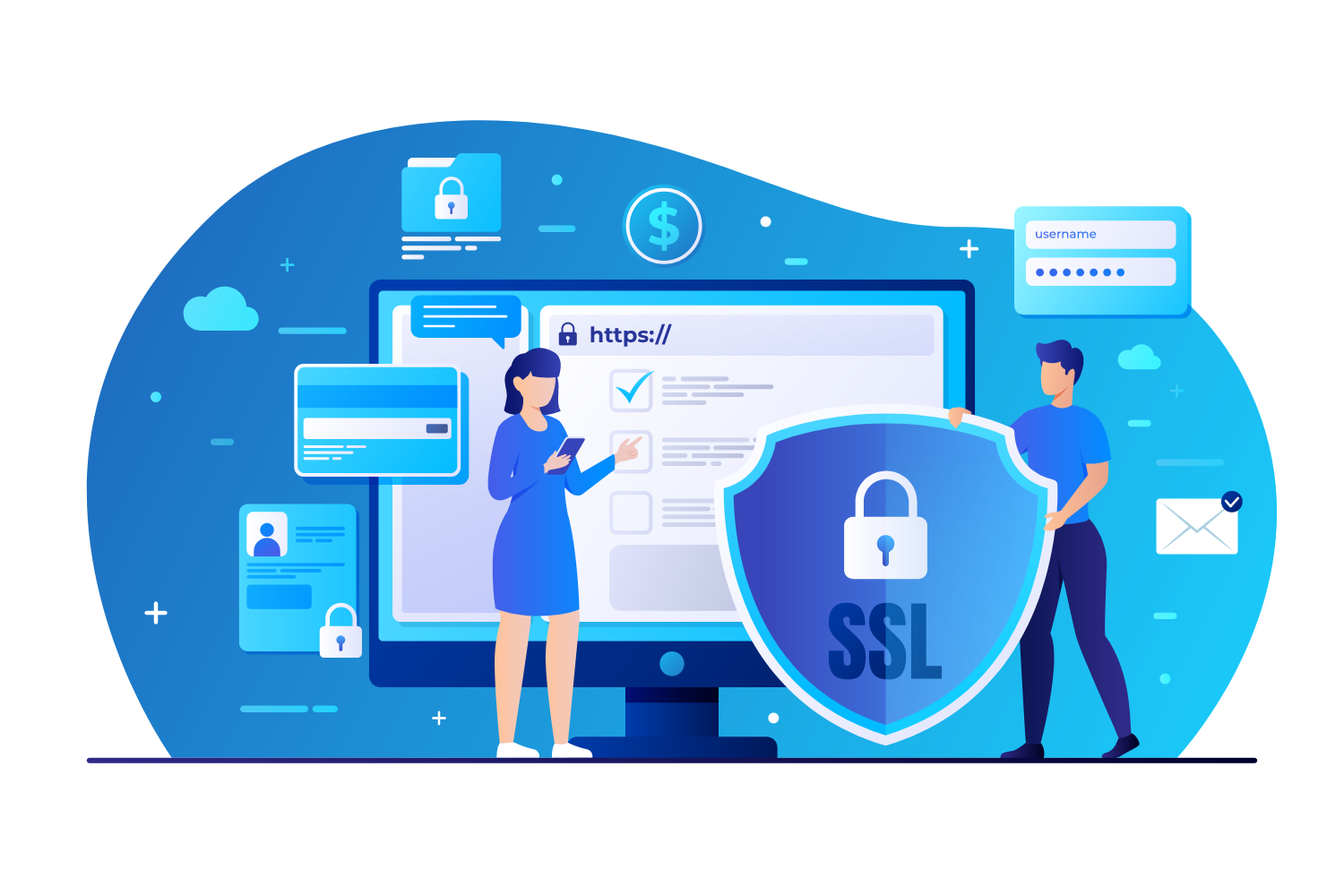
SSL Certificates Secure connection solutions with free and paid SSL/TLS certificate options Explore Now →
Penetration Tests Penetration tests performed by third parties in cooperation with TSE-approved testing firms Explore Now →
Corporate Email
Corporate Email Solutions Fully domestic, KVKK compliant, 100% compatible with Outlook and all mail programs, professional, uninterrupted email service Explore Now →
Bulk Email Sending Manageable bulk email sending services with high delivery rates for your marketing campaigns Explore Now →
Email Archiving Secure archiving of all your email traffic to protect corporate memory and comply with legal requirements Explore Now →
Free Email Migration Service Wherever your email service is, we migrate you to Netinternet corporate email solution for free! Explore Now →
Traditional Web Hosting
cPanel Web Hosting Fast and reliable hosting packages with easy setup and management using cPanel, the world's most popular hosting management panel. Explore Now →
cPanel Reseller Hosting Fully customizable cPanel-based reseller hosting solution for starting your own hosting business Explore Now →
DirectAdmin Reseller Hosting Scalable and cost-effective reseller hosting powered by lightweight DirectAdmin control panel Explore Now →
Free Hosting Migration Service Professional migration services to move your existing systems to Netinternet data center infrastructure Explore Now →
Domain Names
Domain Registration Services Domain registration and easy management at the most affordable prices in all popular extensions (.com, .net, .org, etc.) Explore Now →
Domain Transfer Services Transfer your domains to Netinternet for professional domain management services Explore Now →
Domain Reseller Flexible and reliable reseller program and integration services for offering domain registration to your customers Explore Now →
Free Hosting with Domain Free hosting service for domains registered or transferred to Netinternet Explore Now →
Hosting & Cloud Service Providers High-density infrastructures, multi-tenant architectures and SLA-focused sustainable data center solutions for hosting and cloud providers Explore Now →
E-Commerce Companies High-performance, secure and uninterrupted e-commerce infrastructures resilient to sudden traffic surges during campaign periods Explore Now →
Software Developers Developer-friendly infrastructure solutions with CI/CD compatible, API-supported, automation-ready flexible resource management Explore Now →
SaaS Providers Scalable, high-availability and continuity-focused cloud infrastructures suitable for SaaS architectures serving many users. Explore Now →
AI & R&D GPU-based high-performance and scalable infrastructures for big data processing, model training and high computation tasks Explore Now →
Agencies & Marketing Multi-client management compatible, quick setup, high-performance and flexible web hosting infrastructures Explore Now →
Media & Broadcasting High bandwidth and low latency infrastructure solutions for live streaming, video and heavy content traffic Explore Now →
Banks & Fintech Regulation-compliant, Tier-3/Tier-4 standard, highly secure financial infrastructures ensuring uninterrupted service Explore Now →
Government & Education Long-term, sustainable and secure infrastructure solutions compliant with regulations and data security requirements Explore Now →
Manufacturing / Industry Low-latency and high-availability infrastructure solutions compatible with Industry 4.0, IoT and production automation systems Explore Now →
Healthcare Organizations Highly secure and uninterrupted health informatics infrastructures prioritizing patient data privacy and continuity Explore Now →
HEIMWALL – Web Application Firewall Protect your web applications against advanced attacks with our 100% domestic WAF platform HEIMWALL Explore Now →
Ilkbyte - Cloud Server Service Scalable and high-performance cloud servers deployable in seconds with our domestically developed orchestration infrastructure Explore Now →
Netrafix - Bandwidth Monitoring Manage 5651 compliant logging and bandwidth billing (Burst, Traffic Quota, 95th Percentile) in one platform with sFlow, NetFlow and IPFIX supported Netrafix Explore Now →
Secure Internet - For ISPs Keep your DNS traffic in your own network with 100% domestic DNS software developed for authorized ISPs Explore Now →
DirectIP - IP Management System 100% domestic IP management platform developed by Netinternet for centralized IP address, subnet, VLAN and DHCP management Explore Now →
RuleDNS - Rule-Based DNS Management Dynamically manage DNS responses with rule-based RuleDNS, easily integrate CDN and services with API support Explore Now →
Documents / Whitepapers Developer-focused technical documentation covering all API endpoints, usage scenarios and automation examples Explore Now →
API Documentation Developer-focused technical documentation covering API endpoints, usage scenarios and automation examples for platform integration Explore Now →
Peering Policies Reference policies transparently explaining our network architecture, traffic exchange principles and peering criteria Explore Now →
Frequently Asked Technical Questions Clear and actionable answers to the most frequently asked technical questions about infrastructure, security and operations Explore Now →
System Status Status page transparently sharing real-time status, planned maintenance and past outages of all platforms and services Explore Now →
Our Physical Data Center
Our Physical Data Center Our corporate data center facility designed with high security standards and redundant power and cooling infrastructure Explore Now →
Power, Cooling, Security Facility architecture designed for critical infrastructures with redundant power lines, climate systems and multi-layered physical security Explore Now →
Internet Access Points Low-latency and high-availability backbone connections through multiple operators and internet exchange points Explore Now →
Network Infrastructure
Network Infrastructure Uninterrupted connectivity infrastructure with multi-carrier connections, redundant backbone and high-capacity network architecture Explore Now →
Network Policies Sustainable network operation policies with transparently defined rules for traffic management, peering, security and capacity usage Explore Now →
Planning and Processes Scalable and controlled network management approach with pre-designed network capacity planning, growth scenarios and operational processes Explore Now →
Certificates and Documents
Our Certifications We provide auditable and sustainable infrastructure standards with our certifications for information security and service continuity Explore Now →
Security Policy We ensure protection of infrastructure and data with our security policies covering information security, access control and risk management Explore Now →
KVKK Compliance Data processing and storage structure compliant with KVKK and related regulations with defined technical and administrative measures for personal data protection. Explore Now →
Quality Policy Our quality management policies within the scope of ISO 9001 for continuous improvement of service quality. Explore Now →
Service Management Policy Our policies and standards governing IT service management processes within the scope of ISO/IEC 20000-1. Explore Now →
Business Continuity Policy Our ISO 22301 compliant policies and procedures ensuring business continuity against possible outage scenarios. Explore Now →
Incident Management Policy Our incident management processes and action plans for the detection, response and resolution of security incidents. Explore Now →
Supplier Security Policy Our policy governing information security requirements and risk assessment processes in supplier relationships. Explore Now →
Disclosure Text Text prepared within the scope of our disclosure obligation regarding the processing of your personal data under KVKK. Explore Now →
Cookie Policy Our policy regarding cookies and data collection practices used on our website. Explore Now →
Hosting Provider and Legal Obligation Policy Legal obligations we fulfill as a hosting provider under Law No. 5651. Explore Now →
Blog Posts Technical analyses, sector evaluations and current content about data center, network, cyber security and cloud technologies Explore Now →
Case Studies Reference case studies describing needs encountered, solutions applied and outcomes achieved in real projects Explore Now →
Events and Announcements Events we attend and organize, technical meetings, launches and current announcements about Netinternet Explore Now →
19 Years of Experience

Blog Posts

Discover the success stories of our customers' digital transformation journeys. Each project demonstrates the power of our reliable infrastructure.

Başarı Hikayeleri
İnternet
13610 Hit
2 Comments

The Importance of Cross-Browser Testing for Your Website

Unlike in the past, the popularity of smartphones, laptops, and tablets is rapidly increasing today, and we see that nobody wants to own a desktop computer just to browse the internet anymore. The final end users visiting our websites are now using these devices more than desktop computers to browse social media, shop online, follow news, and watch videos. The mobile and browser compatibility and design of websites have now become very important with this new trend.

In this blog post, we will technically address whether your website is compatible with different browsers.

What is Cross-Browser Testing?

As the name suggests, it is a way to test your website across many web browsers, operating systems, screen sizes, and devices. The main purpose of cross-browser testing is to ensure that the website works perfectly in different browsers, thus guaranteeing website quality.

Browser Testing

Just as each device has different hardware features, web browsers also have different features, and each user may prefer one browser over another due to these differences.

According to research, it is known that 76.6% of users use Google Chrome, 10.1% use Firefox, followed by Edge/IE, Safari, and Opera browsers. With this diversity, it is of great importance for our website to be displayed consistently for our visitors in other browsers.

Considering the progress in technology, there are tools that make cross-browser testing quite simple today. We are listing three of these tools below to facilitate your testing process;

1. crossbrowsertesting.com

It is a cloud-based paid tool and you can use the 7-day free trial period.

2. browsershots.org

It is a tool that allows you to view browsers and operating systems along with screen size, color depth, javascript, Java, and Flash according to your selection.

3. Test Complete

Allows you to create automated GUI tests in a single browser and run them in parallel in 1,500 remote test environments such as browsers, operating systems, resolutions, and devices in the cloud. Supports integrations with Jenkins, git, Selenium, Visual Studio, Jira, etc.

Finally

If you also have different tools you use in cross-browser testing, would you share them with our visitors and us in the comments section?

We are waiting for your comments.

Happy Days!

13610 Hit
0 Comments
View Details
Webmaster
13272 Hit
2 Comments

Our 2021 New Year Message and Infographic

Dear Customers,

As we leave behind 2020, which passed under the shadow of the Covid-19 pandemic that affected the whole world, we continued our uninterrupted activities, production, and employment during the Covid-19 process that deeply shook our social life and economy.

With the thought of not letting the pandemic overshadow our new year excitement, continuing all Netinternet traditions, we made an infographic summarizing the year 2020 as we do every year. You can access the numerical summary of 2020, in which our company grew by a total of 32.11%, from below;

Click to view the infographic describing the year 2020.

Despite everything, as our company continues to grow every year, I am infinitely grateful to our customers and Netinternet workers, who are the biggest contributors to our determined and stable growth.

Although we could not complete many of the projects you expected from us in 2020, which passed with extraordinary events, we would like to announce that we are progressing rapidly in our alternative control panel project, which has become an urgent need for the web hosting sector with the ruthless price hikes imposed on control panels, and that we will release our control panel in 2021.

We have no doubt that all our customers will be infinitely supportive of us on this new journey we started with the WHCPanel brand. You can follow the developments about our new control panel from the address whcpanel.com.

We wish the new year to bring happiness, health and abundant prosperity to all of us.

May 2021 be your year!

On Behalf of the Entire Netinternet Team

With our love.


13272 Hit
0 Comments
View Details
Servisler
12352 Hit
2 Comments

New Covid-19 Policies for Our Customers and Business Partners

As Netinternet, we are closely monitoring the impact of the Covid-19 outbreak on data center operations. New regulations effective from August 23, 2021 have been introduced for data center visits to ensure service continuity for our customers and to enable our business partners and employees to work safely.

Covid-19 protocols effective from August 23, 2021 are listed below;

  • As always, all visits to be made must be notified to our team in advance along with the visiting person and HES code information.

  • Work inside the data center will not be permitted except for problems that are critical for users and have a negative impact on workflow. All physical operations will be performed free of charge by the Netinternet team as always.

  • Compliance with policies determined by Pamukkale University and Pamukkale Teknokent AS, where our data center is located, and policies updated from time to time within the framework of rules determined by Denizli Provincial General Hygiene Board, is expected at entrances/exits. Since these policies are constantly updated, the rules to be followed during the visit will be sent separately to our visitor.

  • All equipment to be delivered to or taken from the data center will be delivered and received at the cargo entrance area. The installation of equipment in or removal from cabinets will be performed free of charge by our technical team.

  • Regardless of whether vaccinated or not, our visitors in the data center are expected to maintain 1.5 meters of social distance and wear masks. Eating and drinking needs are expected to be met outside the office. Netinternet provides hand sanitizer, masks and other needs free of charge.

  • Only one person is allowed to work in a corridor inside the data center. This number is two for visitors working in the same team or workplace. There is a maximum of 2 person limit for visitors who want to use the customer workspace outside the data center.

  • Full vaccination requirement or PCR test within the last 48 hours will not be required from our visitors unless requested by the Ministry of Health Coronavirus Science Board, T.R. Ministry of Interior, Local Government, and Pamukkale University and Pamukkale Teknokent AS.

Our company has returned to remote working mode as of August 23, 2021 for the health of our employees due to increasing case numbers. During this process, only our technical support personnel will be present in our data center, and all face-to-face meetings planned will be held online.

We wish you healthy, happy days.

Sincerely.

12352 Hit
0 Comments
View Details
Webmaster
3005 Hit
2 Comments

New Measures Taken for Coronavirus (COVID-19)

Due to the risk created by the increasing number of cases in recent days, within the scope of the measures taken to protect our employees from the Coronavirus (Covid-19) outbreak that our country as well as the whole world is fighting against, starting from September 25, 2020, no visitors other than our technical personnel will be accepted to work inside the data center white area.


Additionally, for all other visits to our facility, entry will be permitted after a “HES Code” query. The HES (Hayat Eve Sığar - Life Fits Home) Code is a code that allows you to safely share whether you carry any risk in terms of Covid-19 disease. Before visiting the Data Center, the HES code will be requested from you, and if there is no obstacle to the visit as a result of the query made, visit approval will be given. Visitors who have not submitted their HES code in advance and whose query has not been made will not be accepted into the data center.

How Can You Obtain a HES Code?

1. Download the “Hayat Eve Sığar” application on smartphones and enter the “HES Code Operations” section. Click the “Create HES Code” button. Select the code usage period and create the code.

2. To receive a HES code by SMS, write HES with spaces between them respectively; T.R. ID Number, Last 4 Digits of T.R. ID Serial Number, and Sharing Period (number of days) and send an SMS to the number 2023 to create the code.

3. A HES Code can also be created through the E-Government website.

How Will Physical Operations and Physical Installation Work Be Done?

Remote Hands support is provided free of charge on a fair request basis as is known. Smart Hands will also be provided free of charge for as long as this restriction period continues. In physical operation requests, priority will be given to critical business requests and operations that will affect business continuity, which will be done immediately, while all other operations will continue to be done free of charge within working hours according to business workload.

We would like to state again, for those who are concerned about the new measures and restrictions, that there are no COVID-19 cases within our company and that all these restrictions have been taken due to increasing risks for the health of our employees.

We wish you healthy days.

Sincerely.


3005 Hit
0 Comments
View Details
Webmaster
1831 Hit
2 Comments

Our 2020 New Year Message and Infographic

Dear Friends,

As we enter a new year twice as exciting for us, we made an infographic summarizing the year 2019 we left behind in numbers, as we do every year. You can access the numerical summary of 2019, in which we achieved a growth rate of 36.02%, from below;

Click to view the infographic describing the year 2019.

Our company, which continues to grow as every year, has you, our valued customers, whom we consider as our friends, as one of the biggest contributors to its determined and stable growth! With the strength we draw from you, our company, which is starting a very different new year, is aiming to put the Istanbul location into service in the first quarter of 2020.

Yes, we could not ignore the intense insistence of our customers! Instead of expanding our Denizli data center, which has reached more than 90% occupancy, we are starting to serve from Istanbul as a second location. As every year, in addition to the Istanbul location, many projects that will add value to your business are coming to life in 2020! Web hosting control panel, smart cabinet system version 2, DirectIP.io project, and smart load balancing system are just a few of them. We will be presenting a new product/service and project every quarter throughout the year!

We wish the new year to bring happiness, health and abundant prosperity to all of us.

May 2020 be your year!

On Behalf of the Entire Netinternet Team
With our love.


1831 Hit
0 Comments
View Details
Webmaster
1972 Hit
2 Comments

7 Productivity-Boosting Services for Remote Workers

Working from home or remotely was a concept that was applied in professions such as social media expertise, software or graphic design until recently, but was still approached with caution. Many companies preferred employees to be physically present in the office rather than working from home. However, especially the change storm that began with the coronavirus process suddenly brought this topic to the agenda, and companies said “eureka” and decided that remote work is actually not as bad as they thought. Naturally, many people experienced working from home or remotely during the stay-at-home process, and it was seen that this would continue in many sectors going forward. We also wanted to list useful, productivity-boosting applications for people working from home or remotely in this article.

Zoom

Apart but together. Even without being in an office environment, teams can come together online. One of the most effective services that can be used for this is Zoom. While Zoom was a teleconference application known in some sectors, it suddenly became a service used by people from every sector. Although it is used for various purposes from remote education to video calls, it can be used as a tool for teams to come together and hold meetings for the remote working method. Especially thanks to the screen sharing feature, work being done can be shared with other team members and discussed. The fact that it will speed up many tasks and that jobs that cannot be explained over the phone can be shown makes Zoom a productivity-boosting service.

Trello

Is the desk covered with note papers and everything everywhere? Can the note taken for a job being blown away by the wind from the window cause great losses? For such negative situations, online services are just right for you. Trello is tailor-made for this job. With this online productivity application, where you can take notes under various headings, assign tasks, give deadlines, add files, and establish a working methodology, you can maintain order in all individual and team work including remote work. You can maintain your working order with Trello, which is offered for free use for teams with a certain number of members.

Google Drive

It is not always possible to access files on the office computer from another location. A PSD file, an image, an Excel table may be needed while working remotely but things will be disrupted if there is no access. Using cloud storage services is a good solution for this. Google Drive, which is accessible to everyone and offers large-scale storage even in its free version, is one of the important tools of remote work. Since the uploaded important files will be saved to the storage space belonging to the email account, access by third parties is also quite difficult. With Google Drive, where you can access office files from home or home files from the office or other workspaces, productivity will increase and job delays due to data deficiency will be prevented.

Slack

Messaging applications cause many problems in remote working for teams or individuals. In some messaging applications, written messages may not be found, while in others they may not even be shown in search results. This causes the task assigned to the person to be lost or forgotten. The Slack application, developed taking this into account, eliminates the problems of messaging while working. With Slack, task headings can be created, discussions can be held under these headings, files can be uploaded, and these files can be accessed at any time. Thus, given tasks can be completed without disruption.

Asana

Whether remote working or not, people who want to bring employees together in an online environment, distribute tasks, and check that tasks are completed must definitely use an online task tracking program. Asana is one of them. Asana, where you can register as a team or individually, create various headings, assign tasks, load different tasks to employees, distribute each sub-heading to different people, write comments on these headings, upload files, and specify deadlines, will distribute the workload, determine people’s tasks, and make work easier to track. Asana is an application that can be used free of charge up to a certain number of users. It is one of the keys to high-efficiency work for people working from home or remotely or managing these people.

Canva

In today’s world where internet and computer technologies have developed, it has become possible to make designs without owning a high-performance computer and to do this with an internet tab or phone application. Canva is a graphic design tool that people working remotely can use. Thanks to Canva, where quick and effective designs can be made in situations where Photoshop and similar applications may not work on every computer or there may be no computer in the environment, graphic work can be done quickly.

Google Calendar

What work to do on which day, who to meet with, who to email, which job to finish on which day, if the answers to all these questions are on note papers, work efficiency will be quite low. Because some planned work can be overlooked due to stacked papers. Google Calendar prevents this. With Google Calendar, where events can be added to days, hours, and future dates, which can be tracked on a single page, and which can be accessed with a Gmail account, it is possible to organize work, set meetings, and receive advance notifications.

Time can be better controlled with this application that eliminates many problems of remote work. While remote work is on the rise today, it will be discussed more in the coming years and different services will be offered for it. But it should not be forgotten that all these services are tools for a person to work more efficiently. Using them and working efficiently is also in the person’s hands. Not losing motivation and concentration is also a situation that ends with the person. We wish high-motivation, high-concentration remote work.

1972 Hit
0 Comments
View Details
İnternet
3393 Hit
2 Comments

What is Google Webmaster Tools and How to Use It?

There are many ways to achieve better rankings in search engines, and the SEO (search engine optimization) work you do on the organic side can bring a longer-lasting and less costly organic growth in the long run.

To shed light on those who want to succeed on this path, Google designed a very simple tool known to all of us as Google Search Console to understand how your site looks, what problems might affect your traffic, and how to improve the site for better rankings and results.

Google Search Console had been on the market for a while and was actually previously known as Google Webmaster Tools and Google Webmaster Central. In 2015, Google renamed this tool as Google Search Console, so although they seem like different terms, they are actually all different names for the same thing.

How Can GWT (Google Webmaster Tools) Help Monitor Your Website Performance?

  • Verifies that Google can access content on your website.
  • GWT, also known as Google Search Console, makes it possible to submit new pages and posts for Google to crawl and remove content you do not want search engine users to discover.
  • Helps you serve and evaluate content that provides a more visual experience to users. Guides you on this.
  • Allows you to discover and fix malware or spam issues that cannot be easily found by other means.

How Does Google Webmaster Tools Help You Understand How Your Website Appears in Google Searches?

  • Provides details about which popular queries bring users to which pages on your website, giving light to SEO strategies.
  • Shows which queries bring the most traffic.
  • You can also evaluate through GWT how your mobile website performs for users searching on tablets and phones. With the suggestions it offers you, you can also achieve these improvements.

How to Set Up Google Webmaster Tools?

First, sign into your Google account. If it is a business website, make sure you are using your business account, not your personal account.

Go to Google Web Administrator Tools. Click “Add a property.” Select “Website” from the dropdown menu and enter your site’s URL. Make sure you use the exact URL that appears in the browser bar and continue.

Choose a way to verify that you own the website (HTML file upload, domain provider, HTML tag, Google Analytics tracking code, or GTM container snippet).

If your site supports both http:// and https://, add both as separate sites. You also need to add every domain your site has. (www versions, etc.)

Google starts monitoring data for your property the moment you add it to GSC, even before verifying that you own the site.

Verifying Your Site in GSC

Since GSC gives you access to confidential information about the performance of a site or application, you first need to verify that you own that site or application.

Verification gives a specific user control over a specific property. At least one verification is required for each GSC property.

However, there is something to keep in mind: verifying your property does not directly affect your PageRank or performance in Google searches. Of course, the more information you have, the easier it will be to rank higher - but adding your website to Google Search Console does not automatically raise your ranking.

We can list GSC verification methods as follows;

  • HTML file upload: Upload a verification HTML file to a specific location on your website.
  • Domain provider: Sign in to your domain registrar site (such as GoDaddy, eNom, or networkolutions.com) and verify your site directly from GSC or add a DNS TXT or CNAME record.
  • HTML tag: Add a meta tag to the HEAD section of the HTML code of a specific page.
  • Google Analytics tracking code: Copy the GA tracking code you use on your site. (You need “edit” permission in GA for this option.)
  • Google Tag Manager container snippet code: Copy the GTM container snippet code associated with your site.
  • Sites hosted by Google, including Blogger and Google Sites pages, are automatically verified.

If you want to start more strategic SEO work for your website on Google, you need to pay attention to the updates and recommendations Google shares. One of the simplest ways to do this is through the free Google Webmaster (Google Search Console) tools. Within a few minutes, you can start understanding your website from Google’s perspective, obtain different data about your site, and contribute to your site’s traffic with more effective work.

3393 Hit
0 Comments
View Details
Servisler
2032 Hit
2 Comments

Changes in Email Sending and SPAM Policies

With developing technology, we sometimes have to update the terms of service regarding the use of services we provide, for compelling reasons, to prevent misuse and ensure business continuity. The regulations we will announce to you today are related to the measures to be taken to protect our IP reputation within the scope of fighting spam related to email sending.

We present three changes related to these regulations to your information, specifying reasons and implementation dates in bullet points.

1. Deletion of Default PTR Records

All PTR records with *.ni.net.tr extensions defined by default for IPv4 Addresses along with A records will be deleted. All our customers who need PTR for the IP address from which they will send email will be able to define PTR for their IP addresses using their own domain names through the panel or by sending a support request.

With this regulation, the aim is to block spam emails to be sent from servers that have somehow been compromised due to user error but are not related to email.

If you are not using default PTR records, there is no action you need to take. Our users using default PTR records need to create a new PTR record for themselves.

This application will be started gradually on IPv4 prefixes belonging to our company for which we are LIR administrators on the RIPE domain object starting from July 19, 2020. No action will be taken on IP prefixes that belong to us but are not in our DNS servers. This application is not valid for our customers who have their own IP addresses and use their own AS numbers.

2. Closing of Ports Related to Email Sending Throughout the Data Center

First stating that this operation will be done one year later on July 1, 2021, again the aim of this regulation is to block spam emails to be sent from servers that have somehow been compromised due to user error but are not related to email.

All our requesting users will be able to remove the restriction with /32 prefix length by accepting the online agreement terms for the IP addresses from which they will send email through the customer panel.

This application is not valid for our customers who have their own IP addresses and use their own AS numbers. However, this should not mean that users with their own IP addresses and serving through their own AS numbers can send spam. Permanent or temporary restrictions may apply to email sending for all our users who do not respond to abuse notifications.

3. Offering Free SMTP Relay Service

We will provide SMTP Relay service free of charge to all our users who cannot perform SPAM control for email sending and do not have technical knowledge on this subject, upon their own request, to prevent SPAM from going out of their servers with pre-defined threshold rules.

This service will be implemented before the port restrictions related to email sending, and its announcement will again be made from the blog page.

Sincerely.

2032 Hit
0 Comments
View Details
Webmaster
2276 Hit
2 Comments

What is a Podcast? How to Make a Podcast?

Although the most attention-grabbing content in today’s technology world is videos, podcasts that have developed as an alternative to radio have also become quite widespread in recent times. We wanted to talk in detail about the world of podcasts, which more and more people are listening to and more and more programs are being made for. In this article, we will try to answer questions such as what is a podcast, how long it has been in our lives, and how it is made.

What is a Podcast?

Podcasts are generally audio blogs. You can also think of podcasts as an alternative to live radio programs.

Podcasts continue in series that follow one another, and sometimes you may need to subscribe or download the podcasts to listen to these series. Podcasts, which became popular with the popularity of Apple’s iPod portable media player and iTunes music application in the early 2000s, are spreading even faster since they have taken their place in music listening applications like Spotify.

Research shows that podcasts are more commonly listened to by people in the 25-54 age range. It can be said that this age group generally has an active professional life. Podcast culture mostly appeals to people who live fast-paced lives and cannot find time to read or watch something, but want to listen to something about topics they are curious about or interested in. Times such as commuting to work, working on an automated task, or time set aside for relaxation are quite suitable for listening to podcasts.

Advantages of Podcasts

As interest in podcasts has increased in recent years, it is possible to come across podcasts in many languages including Turkish on many different topics. For example, you can listen to podcast programs on general culture, history, and similar topics, as well as programs organized entirely around comedy or conversation. There are even podcast channels that tell stories and podcast channels built around a specific sectoral conversation. This diversity inevitably causes many people to come to the podcast world where everyone can find something for themselves. The basic driving force creating this diversity is the needs that people feel for this type of content.

While it is not entirely accurate to say that podcasts are substitutes for radio programs, it is possible to say that they continue to serve the function that radio programs served. While radio programs can be listened to on certain days and hours, the fact that podcasts can be listened to at any time is one of the biggest advantages in today’s busy world. While it is possible to pause a podcast program as many times as you want and continue from where you left off, it is also possible to listen from the beginning multiple times. The freedom and comfort created by this situation is one of the biggest advantages of podcasts, especially when compared to radio programs.

Being able to listen to podcasts with any device connected to the internet is also among the advantages of podcasts. In fact, with certain programs, it is possible to listen to a podcast program that you previously downloaded over the internet in an offline environment where you have no online access.

One of the biggest advantages of podcasts is also the ease of updating and changing data. Since broadcasts are not made over a frequency like radio, podcast programs can be on any topic and at any frequency. Topics can also vary according to the preferences of listeners.

How to Make a Podcast?

Before starting to make a podcast, the name and concept of the program must of course be determined. In addition to finding an interesting concept, having guests from time to time to keep the program lively can keep the flow smooth. If you plan your concept accordingly, you can also find the opportunity to flex or change it from time to time.

One of the most important things to pay attention to before starting to make a podcast program is of course having appropriate equipment. Sound quality is very important for podcasts because whatever you offer will consist of sounds. In this system built on people listening to you, there is no room for visuals or other senses, so presenting sound quality at the highest possible level is important. For this reason, it is especially important to choose the equipment with the highest sound quality if you are working on a podcast for a project on behalf of a company or brand.

We said everything consists of sound, but investing very high amounts in a newly undertaken job individually may not be very wise. Because a certain amount of time is needed for the job to be tried and understood whether it will work or not. For this reason, if you do not want to take too much risk at the initial stage, you do not need to make a professional start, meaning you can enter this job with less than 1000 TL.

The most important thing that should be among these listed equipment is of course the microphone. Since it is very important for your voice to reach listeners clearly and loudly, the higher the quality of the microphone, the more opportunities there will be for your recording to be of high quality. Podcast broadcasters can choose two types of microphones. One is USB connectors, the other is analog XLR connectors. Those knowledgeable about sound and music prefer analog XLR microphones.

A POP Filter is also an optional tool that people who want to make podcasts can use. That is, you can make podcast recordings without having this. This filter prevents explosions in the microphone during your conversations and also extends the life of your microphone.

Headphones can also be used optionally but can be used to increase quality. Headphones allow you to be aware of how your voice sounds and whether everything is normal during podcast recording.

Podcast Promotion Process

After preparing the podcast episode, uploading it to any broadcast platform is as simple as a file upload. What is important is the process you go through to create it and the process you go through to promote it to be listened to.

Make sure to upload your podcast to important platforms in index form. Try to have at least 5 episodes because being able to offer more to someone who wants to listen to one of your episodes and subscribe right then can provide a great advantage.

You can increase your chances of success by organizing a launch. If you are lucky enough, you can be featured in the “New and Noteworthy” section on iTunes or another important platform. However, if you do not want to leave things too much to chance, you can start by joining small communities and sharing your podcast, sending it to friends, and with small-scale PR efforts like these.

2276 Hit
0 Comments
View Details