Server Solutions
Dedicated Server Rental Meet your physical server needs with dedicated server rental Explore Now
Virtual Servers Scalable, high-availability server rental services with our high-performance cloud server solutions. Explore Now
İlkbyte Cloud Fully developed by Netinternet, flexible and scalable cloud servers with cloud technology Explore Now
GPU-Based AI Infrastructure High-performance GPU solutions created on a project basis for your AI and machine learning projects Explore Now
Server & Hardware Procurement Server and hardware procurement services with equipment suitable for your projects Explore Now
Customized Infrastructure Solutions Custom-designed infrastructure solutions and technical consulting services for your unique needs Explore Now
Hosting Services
Cabinet Rental Dedicated 15U, 24U and 48U smart cabinet systems allocated for you Explore Now
Server Colocation Individual server hosting service in shared cabinet systems Explore Now
Premium Connectivity Fast and reliable internet access with multi-carrier, multi-IXP and high-capacity Anti-DDoS protection Explore Now
Telecom Data Center Circuit Low-cost and high-performance internet access through a dedicated data center tariff Explore Now
Cross-Connect Direct connection between network carriers with low latency and high performance Explore Now
IP Address Pricing IP address and ASN rental services with RIPE LIR management services Explore Now
Managed Services
Managed Server Installation, configuration, regular maintenance, updates and 24/7 monitoring of your server operating system Explore Now
Managed Infrastructure End-to-end management of your entire IT infrastructure including data center, storage, virtualization and backup Explore Now
Managed Network Professional management and monitoring of network devices (router, switch, firewall) configuration, optimization and performance Explore Now
Managed Cloud (Public / Private) Professional management of your public and private cloud infrastructures to meet your cloud needs Explore Now
Managed Security 24/7 monitoring, analysis and response services against cyber security threats Explore Now
Managed Backup & Disaster Recovery Backup and disaster recovery plans, implementation, operation to ensure your data security and business continuity Explore Now
License Rental
cPanel Licenses cPanel software license rental solutions Explore Now
Plesk Licenses Plesk software license rental solutions Explore Now
DirectAdmin Licenses DirectAdmin software license rental solutions Explore Now
LiteSpeed Licenses LiteSpeed software license rental solutions Explore Now
CloudLinux Licenses CloudLinux software license rental solutions Explore Now
Cyber Security
HEIMWALL Fully developed by Netinternet, protect against cyber attacks with our Web Application Firewall solution Explore Now →
AntiDDoS High-capacity volumetric Anti-DDoS protection provided free by default on all our services Explore Now →
VPN Solutions Secure, encrypted tunnel connections for your remote offices and employees with our managed VPN solutions Explore Now →
Layer4 Stateless Firewall Layer4 stateless firewall solution for filtering and directing incoming traffic Explore Now →
SSL Certificates Secure connection solutions with free and paid SSL/TLS certificate options Explore Now →
Penetration Tests Penetration tests performed by third parties in cooperation with TSE-approved testing firms Explore Now →
Corporate Email
Corporate Email Solutions Fully domestic, KVKK compliant, 100% compatible with Outlook and all mail programs, professional, uninterrupted email service Explore Now →
Bulk Email Sending Manageable bulk email sending services with high delivery rates for your marketing campaigns Explore Now →
Email Archiving Secure archiving of all your email traffic to protect corporate memory and comply with legal requirements Explore Now →
Free Email Migration Service Wherever your email service is, we migrate you to Netinternet corporate email solution for free! Explore Now →
Traditional Web Hosting
cPanel Web Hosting Fast and reliable hosting packages with easy setup and management using cPanel, the world's most popular hosting management panel. Explore Now →
cPanel Reseller Hosting Fully customizable cPanel-based reseller hosting solution for starting your own hosting business Explore Now →
DirectAdmin Reseller Hosting Scalable and cost-effective reseller hosting powered by lightweight DirectAdmin control panel Explore Now →
Free Hosting Migration Service Professional migration services to move your existing systems to Netinternet data center infrastructure Explore Now →
Domain Names
Domain Registration Services Domain registration and easy management at the most affordable prices in all popular extensions (.com, .net, .org, etc.) Explore Now →
Domain Transfer Services Transfer your domains to Netinternet for professional domain management services Explore Now →
Domain Reseller Flexible and reliable reseller program and integration services for offering domain registration to your customers Explore Now →
Free Hosting with Domain Free hosting service for domains registered or transferred to Netinternet Explore Now →
Hosting & Cloud Service Providers High-density infrastructures, multi-tenant architectures and SLA-focused sustainable data center solutions for hosting and cloud providers Explore Now →
E-Commerce Companies High-performance, secure and uninterrupted e-commerce infrastructures resilient to sudden traffic surges during campaign periods Explore Now →
Software Developers Developer-friendly infrastructure solutions with CI/CD compatible, API-supported, automation-ready flexible resource management Explore Now →
SaaS Providers Scalable, high-availability and continuity-focused cloud infrastructures suitable for SaaS architectures serving many users. Explore Now →
AI & R&D GPU-based high-performance and scalable infrastructures for big data processing, model training and high computation tasks Explore Now →
Agencies & Marketing Multi-client management compatible, quick setup, high-performance and flexible web hosting infrastructures Explore Now →
Media & Broadcasting High bandwidth and low latency infrastructure solutions for live streaming, video and heavy content traffic Explore Now →
Banks & Fintech Regulation-compliant, Tier-3/Tier-4 standard, highly secure financial infrastructures ensuring uninterrupted service Explore Now →
Government & Education Long-term, sustainable and secure infrastructure solutions compliant with regulations and data security requirements Explore Now →
Manufacturing / Industry Low-latency and high-availability infrastructure solutions compatible with Industry 4.0, IoT and production automation systems Explore Now →
Healthcare Organizations Highly secure and uninterrupted health informatics infrastructures prioritizing patient data privacy and continuity Explore Now →
HEIMWALL – Web Application Firewall Protect your web applications against advanced attacks with our 100% domestic WAF platform HEIMWALL Explore Now →
Ilkbyte - Cloud Server Service Scalable and high-performance cloud servers deployable in seconds with our domestically developed orchestration infrastructure Explore Now →
Netrafix - Bandwidth Monitoring Manage 5651 compliant logging and bandwidth billing (Burst, Traffic Quota, 95th Percentile) in one platform with sFlow, NetFlow and IPFIX supported Netrafix Explore Now →
Secure Internet - For ISPs Keep your DNS traffic in your own network with 100% domestic DNS software developed for authorized ISPs Explore Now →
DirectIP - IP Management System 100% domestic IP management platform developed by Netinternet for centralized IP address, subnet, VLAN and DHCP management Explore Now →
RuleDNS - Rule-Based DNS Management Dynamically manage DNS responses with rule-based RuleDNS, easily integrate CDN and services with API support Explore Now →
Documents / Whitepapers Developer-focused technical documentation covering all API endpoints, usage scenarios and automation examples Explore Now →
API Documentation Developer-focused technical documentation covering API endpoints, usage scenarios and automation examples for platform integration Explore Now →
Peering Policies Reference policies transparently explaining our network architecture, traffic exchange principles and peering criteria Explore Now →
Frequently Asked Technical Questions Clear and actionable answers to the most frequently asked technical questions about infrastructure, security and operations Explore Now →
System Status Status page transparently sharing real-time status, planned maintenance and past outages of all platforms and services Explore Now →
Our Physical Data Center
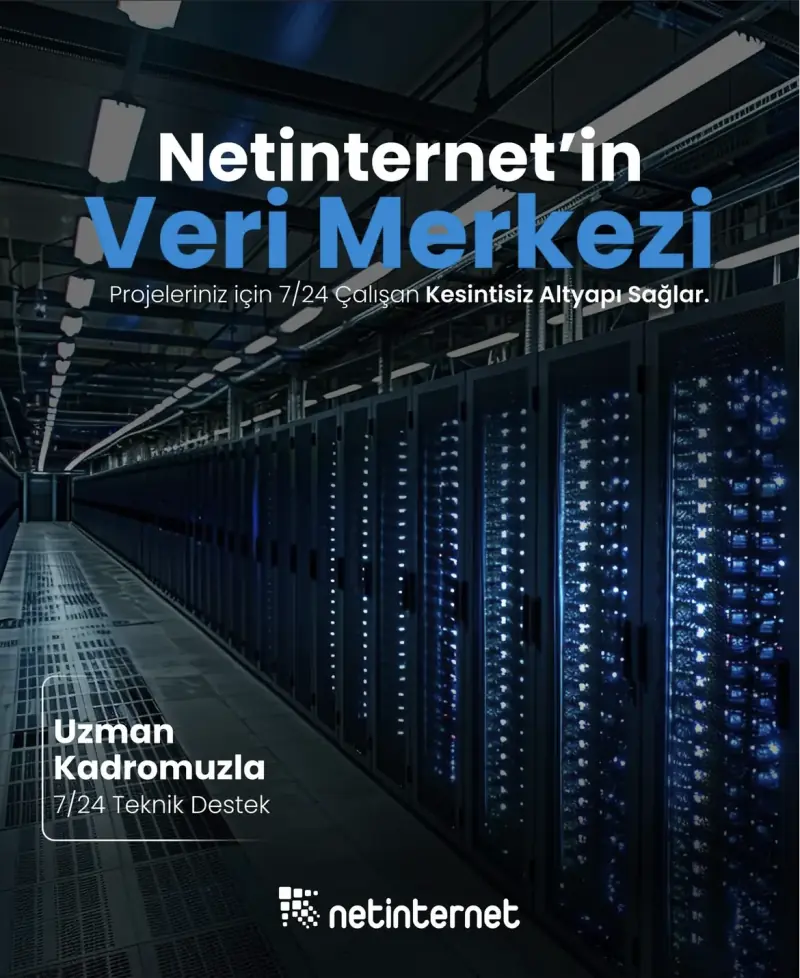
Our Physical Data Center Our corporate data center facility designed with high security standards and redundant power and cooling infrastructure Explore Now →
Power, Cooling, Security Facility architecture designed for critical infrastructures with redundant power lines, climate systems and multi-layered physical security Explore Now →
Internet Access Points Low-latency and high-availability backbone connections through multiple operators and internet exchange points Explore Now →
Network Infrastructure
Network Infrastructure Uninterrupted connectivity infrastructure with multi-carrier connections, redundant backbone and high-capacity network architecture Explore Now →
Network Policies Sustainable network operation policies with transparently defined rules for traffic management, peering, security and capacity usage Explore Now →
Planning and Processes Scalable and controlled network management approach with pre-designed network capacity planning, growth scenarios and operational processes Explore Now →
Certificates and Documents
Our Certifications We provide auditable and sustainable infrastructure standards with our certifications for information security and service continuity Explore Now →
Security Policy We ensure protection of infrastructure and data with our security policies covering information security, access control and risk management Explore Now →
KVKK Compliance Data processing and storage structure compliant with KVKK and related regulations with defined technical and administrative measures for personal data protection. Explore Now →
Quality Policy Our quality management policies within the scope of ISO 9001 for continuous improvement of service quality. Explore Now →
Service Management Policy Our policies and standards governing IT service management processes within the scope of ISO/IEC 20000-1. Explore Now →
Business Continuity Policy Our ISO 22301 compliant policies and procedures ensuring business continuity against possible outage scenarios. Explore Now →
Incident Management Policy Our incident management processes and action plans for the detection, response and resolution of security incidents. Explore Now →
Supplier Security Policy Our policy governing information security requirements and risk assessment processes in supplier relationships. Explore Now →
Disclosure Text Text prepared within the scope of our disclosure obligation regarding the processing of your personal data under KVKK. Explore Now →
Cookie Policy Our policy regarding cookies and data collection practices used on our website. Explore Now →
Hosting Provider and Legal Obligation Policy Legal obligations we fulfill as a hosting provider under Law No. 5651. Explore Now →
Blog Posts Technical analyses, sector evaluations and current content about data center, network, cyber security and cloud technologies Explore Now →
Case Studies Reference case studies describing needs encountered, solutions applied and outcomes achieved in real projects Explore Now →
Events and Announcements Events we attend and organize, technical meetings, launches and current announcements about Netinternet Explore Now →
19 Years of Experience

Blog Posts

Discover the success stories of our customers' digital transformation journeys. Each project demonstrates the power of our reliable infrastructure.

Başarı Hikayeleri
646 Hit
2 Comments

Unable to establish a PHP session – PHPMyAdmin error

Each user on the server has a tmp directory. Due to write permission issues or other errors in this directory, you may encounter an error like the following when trying
to log into phpmyadmin.

>Access Denied
Unable to establish a PHP session.
If you believe that this is in error or inadvertent, contact your system administrator and ask them to review your server settings.
cpaneld/11.46.0.19
Server at

To resolve this error, the following steps related to the user’s tmp directory will be sufficient.

1- Log into the server via SSH.
2- Check the ownership of the /home/$user/tmp directory. If such a directory
does not exist,

mkdir tmp
chown username:username /home/$user/tmp

create the directory with these commands and finally grant permissions with the following command.

chmod 755 /home/$user/tmp

646 Hit
0 Comments
View Details
1286 Hit
2 Comments

IP Block Issue When Uploading Files via FileZilla FTP

When uploading files via FTP with the FileZilla program, it connects to the server using multiple ports simultaneously. The security software on the server detects
these connections as an attack and blocks your IP address.

For this, you need to set FileZilla’s transfer mode to Active.

  • We open the FileZilla program and go to the Settings section from “Edit”.

    EHcedKa

  • When we enter the Settings
    section, from the window that appears, we click on the “FTP” heading on the left side. The transfer mode will come pre-selected as “Passive (recommended)”.

    NeOVyC1

  • We check the “Active” option and click the “OK” button.

    nsFnttJ

  • Set the Concurrent transfers, Concurrent downloads, and
    Concurrent uploads values in the “Transfer” section on the left side to 1.
    Concurrent Transfer

The settings are complete. You can close your FTP program and try reconnecting.

You can also try an FTP program called WinSCP. This program uploads files one by one and
there is no blocking issue.

1286 Hit
0 Comments
View Details
924 Hit
2 Comments

Hosting Sponsorship

We love the internet. We want to contribute to its development. In this regard, Netinternet sponsors countless websites and social responsibility projects every year. If you think your site meets the
conditions below, Netinternet can be your hosting sponsor too.

  • If your site is a non-profit social responsibility project,

  • If you have an open-source project,

  • If your site publishes content related to the hosting
    sector,

  • If your site covers widely used scripts around the world,

  • If you think your site contributes to the development of the webmaster and hosting sector,

You can apply to Netinternet for a hosting sponsorship request.
Netinternet allocates a certain quota for sponsorships and sponsors sites within these limits. Sponsorship agreements are made for a maximum of one year at a time. Within the scope of sponsorship, different partnership models are applied depending on criteria such as
traffic load, data space, and number of users of the site requesting sponsorship.

Sponsorship Within the Scope of Social Responsibility

Sponsorship can be provided for meeting the internet infrastructure needs of projects such as education, environment,
culture and arts, and aid and solidarity associations that do not pursue commercial purposes.

Infrastructure Sponsorship

To support original entrepreneurial ideas, Netinternet sponsors the internet infrastructure and all data center needs for projects
with content on internet and information technologies that have established their own brand.

General Rules for Sponsorship

  • Netinternet sponsors internet projects with a daily unique visitor count of 5,000 or more. (Excluding associations and
    institutions sponsored within the scope of social responsibility.) Sponsorship is limited to infrastructure support only; the content, software, design, and similar aspects of the website are outside the scope of sponsorship support.

  • For internet
    projects other than social responsibility sponsorships, with the start of sponsorship, the sponsorship must be announced on at least 2 social media accounts of the sponsored website.

  • The website using the infrastructure provided by Netinternet within
    the scope of sponsorship must allocate a banner area for Netinternet in a suitable location on the main page. In addition, a link to Netinternet must be provided in the footer section of the web page.

  • The infrastructure provided by Netinternet within
    the scope of sponsorship cannot be transferred to another person, site, or institution. The provided infrastructure cannot be used for any purpose outside of the sponsored project.

  • Netinternet covers all or part of the costs it incurs for infrastructure
    within the scope of sponsorship. The planning and decision regarding this is made jointly with the project owner to be sponsored.

  • The sponsored internet project can benefit from all standard support services.

If your site meets the specified
conditions, reach us via the support desk.

924 Hit
0 Comments
View Details
1015 Hit
2 Comments

Site Preview Using Hosts File

You can preview your site without redirecting its nameservers by using the hosts file.

The steps to follow are listed below;

1- We run Notepad as
administrator

hosts-1

2- We find and open
the hosts file from the Open tab. File directory: C:\Windows\System32\Drivers\etc

hosts-3

3- We add the IP address of the site at the bottom of the file and write the site name to the right of it.

hosts-2

4- We save the file.

hosts-4

5- Close and reopen the browser you are using, or press Ctrl+F5 several times. This way, you will have previewed
the site.

Finding the site IP address from cPanel

To write in the hosts file, you can expand the Statistics section on the left side of cPanel and find out your site’s IP address.

hosts-5

Finding the site IP address from Plesk panel

The IP address on which your
site runs is located on the Plesk panel homepage.

hosts-6

1015 Hit
0 Comments
View Details
901 Hit
2 Comments

WordPress Permalink Settings on IIS Server

For WordPress’s permalink feature to work, request parameters need to be sent to the script. On Apache servers, this can be done via .htaccess files using
mod_rewrite.

When running WordPress on IIS, we need to do the same operation with web.config files. Otherwise, the permalink feature will not work.

If you upload the following code snippet to the root directory as web.config, the permalink feature will
become active. If you already have a web.config file, you only need to edit the relevant sections.

<?xml version=“1.0” encoding=“UTF-8”?>
<configuration>
<system.webServer>
<rewrite>
<rules>
<rule name=“WordPress
Rule” stopProcessing=“true”>
<match url=“.*” />
<conditions>
<add input=“{REQUEST_FILENAME}” matchType=“IsFile” negate=“true” />
<add input=“{REQUEST_FILENAME}” matchType=“IsDirectory” negate=“true” />
</conditions>
<action
type=“Rewrite” url=“index.php?page_id={R:0}” />
</rule>
</rules>
</rewrite>
</system.webServer>
</configuration>

901 Hit
0 Comments
View Details
1095 Hit
2 Comments

Generating Subdomain CSR Code via IIS

To create a CSR code via IIS, you can use the methods published by RapidSSL. If you are making an incorrect operation, you will likely receive the following error.

common name
does not contain fully qualified domain name

To resolve it, you can review the following links.

For Server 2012;

https://knowledge.rapidssl.com/support/ssl-certificate-support/index?page=content&actp=CROSSLINK&id=SO21231

For Server 2008;https://knowledge.rapidssl.com/support/ssl-certificate-support/index?page=content&actp=CROSSLINK&id=SO10516

1095 Hit
0 Comments
View Details
888 Hit
2 Comments

Accessing a Website via IP Address

There are several methods to check the status of your site without redirecting the nameservers. One of them is to disable the mod_userdir feature in cPanel. Root access is required to do
this. Log into the WHM panel and search for mod_userdir in the left menu. On the page that appears, if Enable mod_userdir Protection is checked, uncheck it and restart Apache.

888 Hit
0 Comments
View Details
1634 Hit
2 Comments

IP Addresses & Blacklist

As is known, there are dozens of companies and organizations around the world that monitor the mail traffic of IP addresses and apply blacklisting based on spam sent or harmful content on
sites.

The main ones are:

  1. Barracuda – b.barracudacentral.org

  2. SpamHaus – pbl.spamhaus.org, sbl.spamhaus.org

  3. Spam Cannibal – bl.spamcannibal.org

  4. UceProtect – dnsbl-1.uceprotect.net, dnsbl-2.uceprotect.net,
    dnsbl-3.uceprotect.net

IP addresses can be listed as /30 single IPs, or as subnets in sequence such as /29, /28, /27. If a subnet such as 192.168.0.0/27 is blacklisted, no emails can be sent from any of the IP addresses within that subnet. When IP
addresses are listed by any organization, a request must be made from the Removal Request section on that organization’s website to get them removed. Before making this request, the server must be checked, the account(s) that caused the listing must be identified,
and the problem must be resolved. Even if an IP removal request is submitted while the problem continues, IP addresses will not be removed from the list. After the problem is resolved, the IP addresses are typically removed within an average of 7-30 days. This period
varies for each blacklist organization.

When your IP address is blacklisted for any reason, you can no longer send emails from that IP address on your server. All sent emails will be returned to you as error messages containing information like the
following.

<code class=“php”>ornek@windowslive.com</code>

<code class=“php”>SMTP error from remote mail server after MAIL FROM:<bilgi@domain.com
host mx1.hotmail.com [65.55.37.120]: 550 SC-001 (COL004-MC4F11) Unfortunately,
messages from 192.168.1.1 weren’t sent. Please contact your Internet service provider since part of their network is on our block list. You can also refer your provider tohttp://mail.live.com/mail/troubleshooting.aspx#errors.
</code>

In the
example above, we can clearly see that Hotmail is blocking an IP address and blocking emails sent from that IP. In addition to the blacklist-checking organizations listed above, major global companies such as Hotmail, Gmail, and Yahoo have their own internal security
systems. This means that even if your IP address has not been blacklisted by any company, these global giants may block your IP addresses in their own security systems and prevent mail delivery to their servers.

This problem is most commonly experienced on
shared hosting servers. Due to spam emails sent by a single account, IP blocks can be listed and all sites operating on the same IP block are affected. To avoid such situations, mail traffic on servers should always be monitored. Most modern programming languages can
send mail without needing any email server. For this reason, sending mail with these programming languages should be disabled against malicious use. For example, for the PHP language, mail functions can be disabled via the php.ini file. Instead, users should be
directed to send mail via the mail server on the server using SMTP authentication. This way, you can set policies for your outgoing mail and prevent spam mail outgoing.

In conclusion, the only reason for IP addresses on servers to be blacklisted is the
activities of users on those servers. To avoid this problem, necessary security measures must be taken on the servers and user operations must be continuously monitored.

1634 Hit
0 Comments
View Details
726 Hit
2 Comments

Protection Reports

Protection reports is the section where you can get detailed reports about the emails sent to and from you. There are 3 different options in this section. We will inform you about each of these sections
in order.

On-Demand Receipt Report

In this section, starting from a specific date up to your current date, you can get a report of all mail activities and have it sent in PDF or HTML format to any email address you want. The “Include Extra Spam
Table” option allows the requested report to be sent with a detailed spam table.

istekraporu

Periodic Receipt Report

With the periodic report feature, you can activate the reporting service on a daily or weekly basis and have reports sent to you by email during
these periods. In the periodic report settings as well, you can request an extra spam table or configure whether reports are sent with or without quarantined emails.

periyodikrapor

Periodic User Report

You can make changes in this section to the reporting settings you
prepared in the Periodic Receipt Report section. You can change the reporting parameters of a previously created periodic receipt report or add new recipients for the reports to be sent.

periyodikkullanicirapor

726 Hit
0 Comments
View Details